


10 Essential Online Shopping Safety Tips for 2025
The thrill of finding that perfect gothic dress, rare Naruto figure, or budget-friendly e-bike is unmatched. But as you fill your cart, a nagging question might pop up: 'Is my information safe?' As online shopping becomes a daily habit, ensuring your digital security is just as important as snagging a great price. You work hard for your money, and the last thing you want is for a moment of retail joy to turn into a financial headache or a data privacy nightmare. Without these protections, you risk losing money and compromising your identity—frustrations that steal the joy from finding amazing products.
This isn't just another generic list of obvious advice. This is your practical playbook for navigating the digital marketplace with total confidence. We’ll dive straight into 10 crucial online shopping safety tips, showing you not just what to do, but exactly how and why it protects your wallet and your peace of mind. Following these steps ensures your focus remains on the fun part: finding amazing deals on products you love. By the end of this guide, you'll be equipped to spot red flags from a mile away and make every transaction, whether here with us or elsewhere, a secure and satisfying experience. Let's make sure every purchase is a smart one.
1. Use Strong, Unique Passwords
Your password is the front door to your online shopping accounts. Using a simple or reused password is like leaving that door unlocked. Imagine someone guessing your password for an old, unused website, then using that same password to access your Realm of Wonders account and make unauthorized purchases. One of the most fundamental online shopping safety tips is to use a different, complex password for every site you shop on. This practice, known as password hygiene, prevents a data breach on one website from compromising your accounts everywhere else, safeguarding the payment information you've saved for your next treasure hunt.
A strong password isn't just Password123!. It's a long, random mix of letters (both upper and lowercase), numbers, and symbols that is difficult for automated software to guess.
How to Create and Manage Strong Passwords
- Use a Password Manager: Tools like 1Password, LastPass, or Bitwarden generate and store complex, unique passwords for all your accounts. You only need to remember one master password.
- Enable Two-Factor Authentication (2FA): This adds a second layer of security. Even if someone steals your password, they can't log in without a second code sent to your phone or app.
-
Create a Passphrase: Instead of a complex word, think of a memorable but random phrase like
Correct-Horse-Battery-Staple7!. It's easier to remember but much harder to crack.
By securing your accounts, you ensure that your next great find—whether it’s a unique cosplay outfit or the perfect gadget—is protected. A secure account is the first step to a worry-free shopping experience at Realm of Wonders. Don't wait; secure your account now and shop with confidence.
2. Enable Two-Factor Authentication (2FA)
Think of Two-Factor Authentication (2FA) as a digital deadbolt on your account's front door. While a password is the first lock, 2FA adds a second, crucial layer of security, making it vastly more difficult for unauthorized users to gain access. Imagine a thief steals your password. Without 2FA, they could immediately log in and access your saved credit card. With 2FA, they are stopped cold, unable to proceed without the unique code from your phone. This is one of the most effective online shopping safety tips because it combines something you know (your password) with something you have (your phone or a security key).
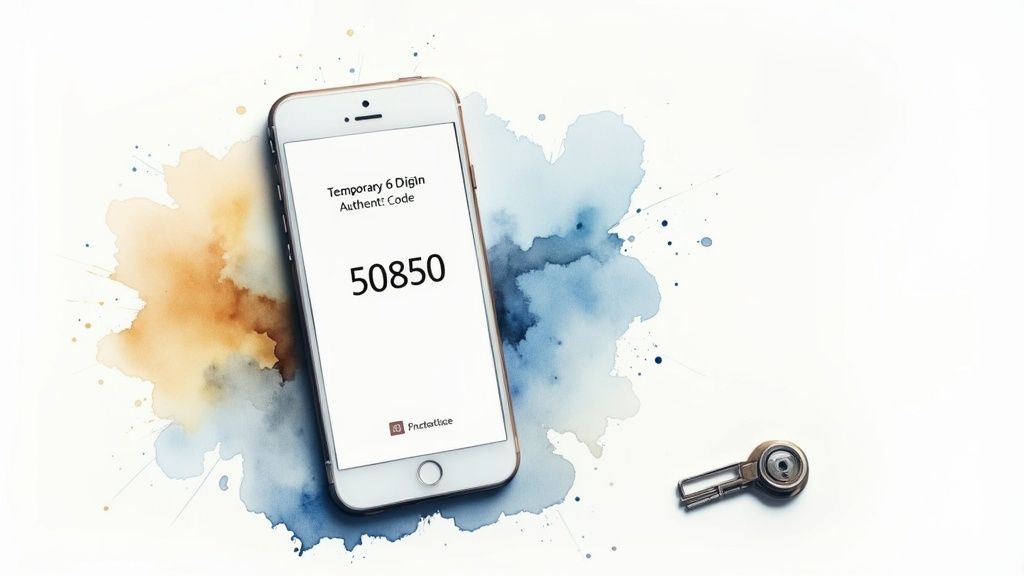
Activating 2FA on your Realm of Wonders account, and any other site where you store payment details, is a simple step with a massive security payoff. It ensures that only you can authorize logins, protecting your personal and financial information so you can confidently browse and buy the products you love.
How to Implement and Use 2FA Effectively
- Use an Authenticator App: Apps like Google Authenticator or Authy are more secure than SMS text messages, which can be intercepted. They generate time-sensitive codes directly on your device.
- Prioritize Hardware Keys: For maximum security, consider a physical security key (like a YubiKey). This is a small USB device that you must physically have present to log in.
- Save Your Backup Codes: When you set up 2FA, you'll be given one-time backup codes. Save these in a secure location, like a password manager or a safe, in case you lose access to your primary device.
Take control of your account security. By enabling 2FA, you can confidently shop for that next e-bike or unique collectible on Realm of Wonders, knowing your account is fortified. Fortify your account today and shop worry-free.
3. Verify Website Security Certificates and HTTPS
Think of your connection to an online store as a private conversation. You wouldn't want to shout your credit card details across a crowded room. HTTPS (HyperText Transfer Protocol Secure) is the digital equivalent of a secure, private room, and it's a non-negotiable feature for any site you shop on, including Realm of Wonders. Without it, any hacker on the same network could steal your payment details as you type them. This technology encrypts the data sent between your browser and the website, making it one of the most crucial online shopping safety tips to follow.
This encryption is what turns your sensitive payment information into an unreadable code as it travels across the internet. Always look for two key signs before entering any personal details: a padlock icon in your browser's address bar and a URL that begins with https://.
How to Check for a Secure Connection
- Look for the Padlock: The small lock icon next to the website address is your first and fastest visual confirmation. Never enter payment details on a site that lacks this symbol.
-
Confirm the
https://: The 'S' stands for secure. If the URL only showshttp://, your connection is not encrypted, and your data is vulnerable. -
Click the Padlock for Details: For extra assurance, click the padlock icon. Your browser will show you information about the site's security certificate, confirming it's valid and issued to the correct domain, like
realmofwonders.com.
By confirming every site is secure, you ensure that your hunt for the perfect gothic accessories or e-bike gear is protected from start to finish. A secure connection means you can browse our collections and click "Buy Now" with confidence, knowing your information is safe every step of the way.
4. Use Secure Payment Methods
How you pay for your online treasures is just as important as where you buy them. Choosing a secure payment method acts as a financial shield, protecting your money from potential fraud. Imagine an item never arrives, or you receive a cheap knock-off. With a direct bank transfer, your money is likely gone forever. With a credit card or PayPal, you can get it back. This is a crucial part of our online shopping safety tips, as secure options offer layers of protection that direct bank transfers or gift cards simply don't. When you're ready to check out with your new LED light strip or gothic-style jacket from Realm of Wonders, using a protected payment method gives you peace of mind.
Services like PayPal, Shop Pay, and major credit card providers (Visa, Mastercard) have robust buyer protection policies. If a product fails to meet your expectations, you have a clear path to dispute the charge and recover your funds.
How to Pay Safely Online
- Choose Credit Over Debit: Credit cards offer better fraud protection. Federal law limits your liability for unauthorized charges to $50, and most issuers offer $0 liability. Debit card protections are not as strong.
- Use Digital Wallets: Services like PayPal, Apple Pay, or Google Pay act as a middleman. They process your payment without ever exposing your actual card number to the merchant, significantly reducing risk.
- Never Use Wire Transfers or Gift Cards: Scammers love these payment methods because they are untraceable and function like cash. Stick to protected methods, especially with sellers you don't know.
By selecting a secure payment option at checkout, you ensure your financial data is protected. This lets you focus on the excitement of your purchase, whether it's a unique gift or the latest gadget. Shop smart at Realm of Wonders and check out with total confidence.
5. Shop Only on Legitimate, Established Retailers
Where you choose to shop online matters just as much as how you pay. One of the most critical online shopping safety tips is to stick with recognized retailers. Established businesses like Realm of Wonders have a reputation to uphold, which means they invest in secure transaction systems, reliable customer service, and clear return policies. An unfamiliar website promising unbelievable deals could be a scam designed to steal your money without ever sending a product. Choosing a trusted store means you get exactly what you paid for.
A legitimate retailer provides accountability. If a product is not as described or never arrives, you have a clear path to resolve the issue. This peace of mind is essential when you're hunting for that perfect gothic accessory or a specific piece of cosplay gear.
How to Verify a Retailer's Legitimacy
- Check for Contact Information: A trustworthy store will have a physical address, a customer service phone number, and an email address clearly listed. You can learn more about our commitment to transparency by checking out the story of Realm of Wonders.
- Look for Reviews: Search for the store’s name along with words like "reviews" or "scam." A lack of online presence or a flood of negative experiences are major red flags.
-
Verify the URL: Scammers often use "typosquatting," creating website addresses that look very similar to legitimate ones (e.g.,
RealmofW0nders.shop). Always double-check the spelling in your address bar.
By carefully choosing where you shop, you protect yourself from counterfeit goods and payment fraud. Shopping with a trusted retailer like Realm of Wonders ensures that your focus remains on the excitement of the find, not the security of the transaction. Find your next favorite item with us today!
6. Protect Your Personal Information and Be Cautious of Data Collection
When you shop online, your personal information is valuable currency. Retailers often ask for more data than they need, and sharing too much can expose you to identity theft and unwanted marketing. A key element of our online shopping safety tips is to be a digital minimalist: provide only what is absolutely necessary. Why does a store need your birthday to sell you a t-shirt? Often, they don't—they want it for marketing. At Realm of Wonders, we only ask for the essential details needed to get your unique finds to you safely.
Never provide extremely sensitive information like your Social Security number or driver's license number. Reputable retailers, including Realm of Wonders, will never ask for this information to complete a standard purchase. Being cautious about data collection protects your privacy and keeps your identity secure, allowing you to enjoy your products without worry.
How to Minimize Your Digital Footprint
- Provide Only Required Information: Look for the asterisk (*) on checkout forms. Only fill in the fields that are mandatory to process your payment and shipping.
- Use a Dedicated Shopping Email: Create a separate email address just for online shopping. This keeps marketing clutter out of your primary inbox and makes it harder for companies to build a comprehensive profile on you.
- Review Privacy Policies: Before creating an account on a new site, take a moment to understand how they collect and use your data. Look for transparency and options to control your information.
- Unsubscribe and Opt-Out: Regularly unsubscribe from marketing emails you no longer wish to receive. Check the privacy settings in your account for any options to limit data sharing.
By being mindful of the data you share, you take control of your privacy. This allows you to focus on the fun part: finding that perfect e-bike or gothic accessory at Realm of Wonders. Browse our collection knowing your personal details are kept safe.
7. Verify Product Authenticity and Avoid Counterfeit Goods
The thrill of finding a rare collectible or a designer-inspired piece can quickly turn sour if you receive a fake. Counterfeit goods are not just a waste of money; they can be poorly made, unsafe, and infringe on the creativity of artists. One of the most important online shopping safety tips is to learn how to spot fakes. Imagine ordering a high-performance e-scooter battery, only to receive a cheap, dangerous counterfeit that could damage your ride. Verifying authenticity ensures you get the quality and safety you paid for.
A genuine product means you're getting the durability and performance you expect. Being vigilant protects your wallet and guarantees you receive an item that lives up to its promise, whether it's a high-performance e-scooter component or a delicate anime figure.
How to Spot Fakes and Verify Authenticity
- Check the Price: If a deal seems too good to be true, it probably is. A luxury-branded item or high-tech gadget priced at 90% off its market value is a major red flag for a counterfeit.
- Scrutinize Product Photos: Look for high-resolution images from multiple angles. Counterfeits often use stock photos or have images with poor lighting, typos on the packaging, or shoddy details.
- Read Seller Reviews and History: Purchase from authorized retailers or sellers with a long history of positive feedback. On platforms like Realm of Wonders, check for seller badges and detailed customer reviews that mention product quality.
- Use Verification Tools: For high-value items, consider using authentication apps like Certilogo or SharkCheck, which are designed to verify luxury goods. Some brands also allow you to check serial numbers on their official websites.
By carefully vetting your purchases, you can shop with confidence. Ensure your next treasure from Realm of Wonders is a genuine masterpiece, not a disappointing imitation. Find authentic, high-quality products in our store today!
8. Monitor Bank and Credit Card Statements Regularly
Think of your bank and credit card statements as the security logs for your financial life. Reviewing them consistently is one of the most powerful online shopping safety tips because it allows you to spot fraudulent charges almost as soon as they happen. Thieves often test stolen card numbers with small, seemingly insignificant purchases—like a $1 coffee—before making larger ones. Catching these early can stop them in their tracks and protect you from hundreds or thousands of dollars in fraudulent charges.
Vigilance is your best defense against unauthorized use of your accounts. By making statement reviews a regular habit, you can ensure that every charge, from your latest Realm of Wonders gadget to your daily coffee, is legitimate and authorized by you. This proactive approach minimizes potential financial damage and stress.
How to Effectively Monitor Your Financial Accounts
- Set Up Real-Time Alerts: Most banks and credit card issuers (like Chase or Bank of America) let you enable instant text or email alerts for every transaction. This gives you immediate notification of account activity.
- Review Statements Promptly: Don't wait for the end of the month. Log in to your online banking portal weekly to scan recent transactions. Cross-reference them with your orders, which you can easily review in your Realm of Wonders account.
- Check for Small, Unfamiliar Charges: A mysterious $1.25 charge could be a fraudster testing your card. Report any transaction you don't recognize to your financial institution immediately, no matter how small.
- Utilize Credit Monitoring Services: Tools like Credit Karma or Experian can alert you to new accounts opened in your name, which is a major sign of identity theft.
By actively monitoring your accounts, you create a powerful safety net, ensuring your money is used only for the amazing finds you intentionally purchase.
9. Avoid Public WiFi for Shopping Transactions
That free WiFi at the coffee shop or airport might seem convenient, but it's a major security risk for online shoppers. Public networks are often unencrypted, making it incredibly easy for cybercriminals to intercept your data. One of the most critical online shopping safety tips is to never enter payment details or log into your Realm of Wonders account while connected to public WiFi. Imagine a hacker sitting nearby, capturing every piece of information you type—passwords, credit card numbers, addresses—without you ever knowing.

Attackers on these networks can create fake hotspots with legitimate-sounding names to trick you into connecting, allowing them to monitor everything you do. Securing your connection is non-negotiable when you're about to purchase that must-have gothic accessory or e-scooter upgrade.
How to Shop Safely on the Go
- Use Your Mobile Data: Your phone's cellular connection (4G/5G) is encrypted and significantly more secure than public WiFi. When in doubt, switch off WiFi and use your mobile data for any transactions.
- Use a Virtual Private Network (VPN): A VPN encrypts your internet traffic, creating a secure "tunnel" that shields your data from prying eyes, even on a public network. Services like NordVPN or ExpressVPN are excellent choices.
- Create a Personal Hotspot: If you need to use a laptop, turn your smartphone into a personal, password-protected WiFi hotspot. This uses your secure mobile data to create a private network for your other devices.
By sticking to secure networks, you ensure that your personal and financial data remains private. This simple habit protects your accounts and lets you focus on the fun part: finding your next amazing deal at Realm of Wonders without worry.
10. Recognize and Avoid Phishing Scams and Suspicious Emails
Phishing scams are deceptive emails, texts, or messages disguised to look like they’re from a company you trust, like Realm of Wonders or your bank. Their goal is to trick you into revealing sensitive information like your password or credit card number. For example, you might get an email saying "Your order is on hold! Click here to verify your payment details." Clicking that link could lead to a fake website that steals your information. This is one of the most common threats shoppers face, but learning the warning signs is a powerful defense and a critical part of our online shopping safety tips.
These scams often create a false sense of urgency, counting on you reacting quickly without thinking. Vigilance is key to protecting your account and ensuring you receive the products you actually ordered.
How to Spot and Handle Phishing Attempts
-
Verify the Sender: Scammers often use email addresses that are slightly different from the real one (e.g.,
support@realmofwonders-shop.netinstead of.com). Hover your mouse over the sender's name to reveal the actual email address. - Check for Red Flags: Be wary of poor grammar, spelling mistakes, and generic greetings like "Dear Customer." Legitimate companies typically use your name and maintain a professional tone.
- Hover, Don't Click: Before clicking any links, hover your cursor over them to see the actual destination URL. If it looks suspicious or doesn't match the expected website, don't click it.
- Go Directly to the Source: If an email asks you to log in or update information, close the email and navigate to the website directly by typing the address into your browser.
By staying alert for these tricks, you ensure that your personal information remains secure. If you ever receive a suspicious email claiming to be from us, do not click anything and please let our team know through our official contact page.
10-Point Online Shopping Safety Comparison
| Item | 🔄 Implementation Complexity | ⚡ Resource Requirements | ⭐ Expected Effectiveness | 💡 Ideal Use Cases | 📊 Key Advantages |
|---|---|---|---|---|---|
| Use Strong, Unique Passwords | Moderate → ongoing maintenance; initial effort to create many | Password manager (recommended), time, occasional subscription | ⭐⭐⭐⭐ | All online accounts, especially email & payment | Prevents account reuse and cascading breaches |
| Enable Two-Factor Authentication (2FA) | Low → simple setup; minor login friction | Phone/authenticator app or hardware key; backup codes | ⭐⭐⭐⭐⭐ | Accounts with payment or personal data | Blocks access even if passwords compromised |
| Verify Website Security Certificates and HTTPS | Low → quick visual checks; occasional deeper inspection | Web browser (built‑in tools); basic knowledge of cert details | ⭐⭐⭐ | New/unfamiliar sites and checkout pages | Protects data in transit; prevents MITM interception |
| Use Secure Payment Methods | Low → choose at checkout; occasional setup for virtual cards | Credit card, digital wallet, or virtual card service; issuer support | ⭐⭐⭐⭐ | Purchases from third‑party sellers or unknown sites | Chargebacks, limited liability, reduced card exposure |
| Shop Only on Legitimate, Established Retailers | Low–Moderate → research before purchase | Time to check reviews, BBB, seller info | ⭐⭐⭐⭐ | High‑value items, first‑time sellers, brand purchases | Consumer protections, reliable returns, verified authenticity |
| Protect Your Personal Information / Limit Data Collection | Moderate → habit and settings review required | Time, alternate emails, privacy tools | ⭐⭐⭐ | Account signup, marketing opt‑ins, new retailers | Reduces identity theft risk and exposure in breaches |
| Verify Product Authenticity / Avoid Counterfeits | Moderate–High → careful inspection and verification steps | Time, authentication services or apps, seller docs | ⭐⭐⭐⭐ | Luxury goods, electronics, high‑risk marketplaces | Ensures quality, warranty support, avoids safety risks |
| Monitor Bank & Credit Card Statements Regularly | Low → routine task; can be automated | Alerts, banking apps, optional credit monitoring service | ⭐⭐⭐⭐ | Ongoing account maintenance; post‑purchase checks | Early fraud detection; limits financial liability |
| Avoid Public WiFi for Shopping Transactions | Low → behavioral change or VPN setup | Mobile data, reputable VPN, personal hotspot | ⭐⭐⭐⭐ | Shopping on the go, airports, cafés, travel | Prevents network interception and credential theft |
| Recognize & Avoid Phishing Scams | Moderate → ongoing vigilance and training | Time, email filters, awareness resources, security tools | ⭐⭐⭐⭐ | Email links, unsolicited messages, account alerts | Prevents credential theft, malware, and account compromise |
Ready to Shop Securely? Join the Wonder Fam Today!
Navigating the vast world of online shopping can feel like a grand adventure, but just like any epic quest, it requires the right tools and knowledge to stay safe. Throughout this guide, we've armed you with a complete toolkit of online shopping safety tips, transforming you from a cautious browser into a confident, secure digital shopper. You're now equipped to build fortress-like passwords, enable critical two-factor authentication, and spot the subtle red flags of a phishing scam from a mile away.
Think of these tips not as a restrictive set of rules, but as your keys to unlocking a world of worry-free retail therapy. Each one is a layer of protection, empowering you to grab that amazing deal without a second thought about your data's security. Mastering these practices means you can focus entirely on the joy of discovery—the thrill of finding the perfect cosplay accessory, a unique gadget, or an affordable gift—without fear of your purchase going wrong.
Your Secure Shopping Checklist: Key Takeaways
Let's quickly recap the most vital habits that will keep your information locked down and your shopping experience positive:
- Be Proactive, Not Reactive: Don't wait for a problem to arise. Regularly update your passwords, enable 2FA on all your shopping accounts, and make a habit of checking your bank statements. A few minutes of prevention today saves hours of headaches tomorrow.
- Trust, But Always Verify: Before you click "buy," take a moment to confirm the essentials. Is the site using HTTPS? Are you using a secure payment method like PayPal or Shop Pay? Does the seller have legitimate reviews? These quick checks are your best defense against fraudulent sites.
- Protect Your Digital Environment: Your security extends beyond the website itself. Always use a private, secure Wi-Fi network for transactions and keep your devices updated with the latest security software. Treating your digital space like your physical home keeps intruders out.
Embracing these online shopping safety tips is the ultimate act of self-care in the digital age. It ensures that your hard-earned money and personal information remain exactly where they belong: with you. By integrating these simple yet powerful habits into your routine, you remove the anxiety from online shopping and replace it with pure, unadulterated excitement for your next great find.
At Realm of Wonders, we are deeply committed to this principle. We've built our store on a foundation of trust and security, implementing robust safeguards so you can explore our collections with complete peace of mind. Your adventure into a world of unique, budget-friendly treasures should be thrilling, not stressful. It's time to put your new skills to the test and experience the confidence that comes with shopping smart.
Ready to put your knowledge into practice? Realm of Wonders offers a secure shopping environment with trusted payment options, letting you focus on discovering amazing deals. Explore our curated collections today and shop with the confidence you deserve at Realm of Wonders.
Article created using Outrank